
Step-by-Step Guide To Create A High-Quality Patch
Have you ever looked at that space on a jacket, a hat, or a uniform and wondered, ‘How do I turn that image in my mind into a physical, high-quality patch and flaunt it around?’
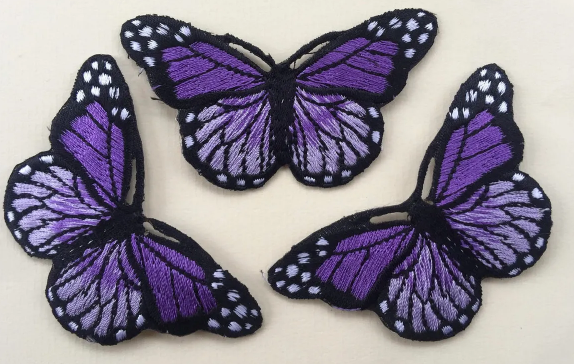
It initially sounds simple, but once you get into the thread counts, mould depths, and vector designing, you slowly realize that reality. The process is almost like a sophisticated engineering project. After all, the patch has to look sharp, survive a washing machine (or a rainstorm), and stay attached to a fabric that is constantly moving.
Don’t worry, this guide is the perfect solution for beginners in Canada like you who have a great artistic mind but lack the technical know‑how to bring it to life. Get ready to roll.
Fool-Proof Patch Making Tips for Beginners
Wait… Before even touching a needle or a sheet of PVC, there is something very important that requires your attention.
We call it the DNA of your patch, also known as the design.
The name DNA, because if it somehow lands blurry to the manufacturer or with wrong colours, your final masterpiece is surely going to be a disaster.
So, to have high-quality badges in Canada, you need to send the design to the maker in the form of a Vector file (.AI, .EPS, or .SVG). This is the expert’s choice for two reasons.
- Unlike standard images made of pixels, vectors are made of mathematical paths.
- This allows the embroidery machine or the CNC mould-cutter to follow a precise line.
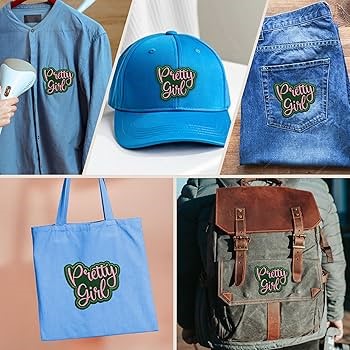
The Rule of Simplicity
You must have been through many guides on the web that teach you how to iron on patches. But ask yourself: how many were there who talked about not overcrowding your badge design? Only a few. Hence, lesson number one is – in the world of patch design, less is more.
Remember, usually a patch is barely or only 3 inches wide. If you try to squeeze a whole landscape painting into that space, it will look like a messy knot of thread.
Here is what you do:
- Keep your lines at least 1pt thick.
- Anything smaller than 0.2 inches shouldn’t be a text.
- Stick to 6–8 solid colours to make the job easy.
Now on to the 5 steps of creating your very own first, high-quality patch.
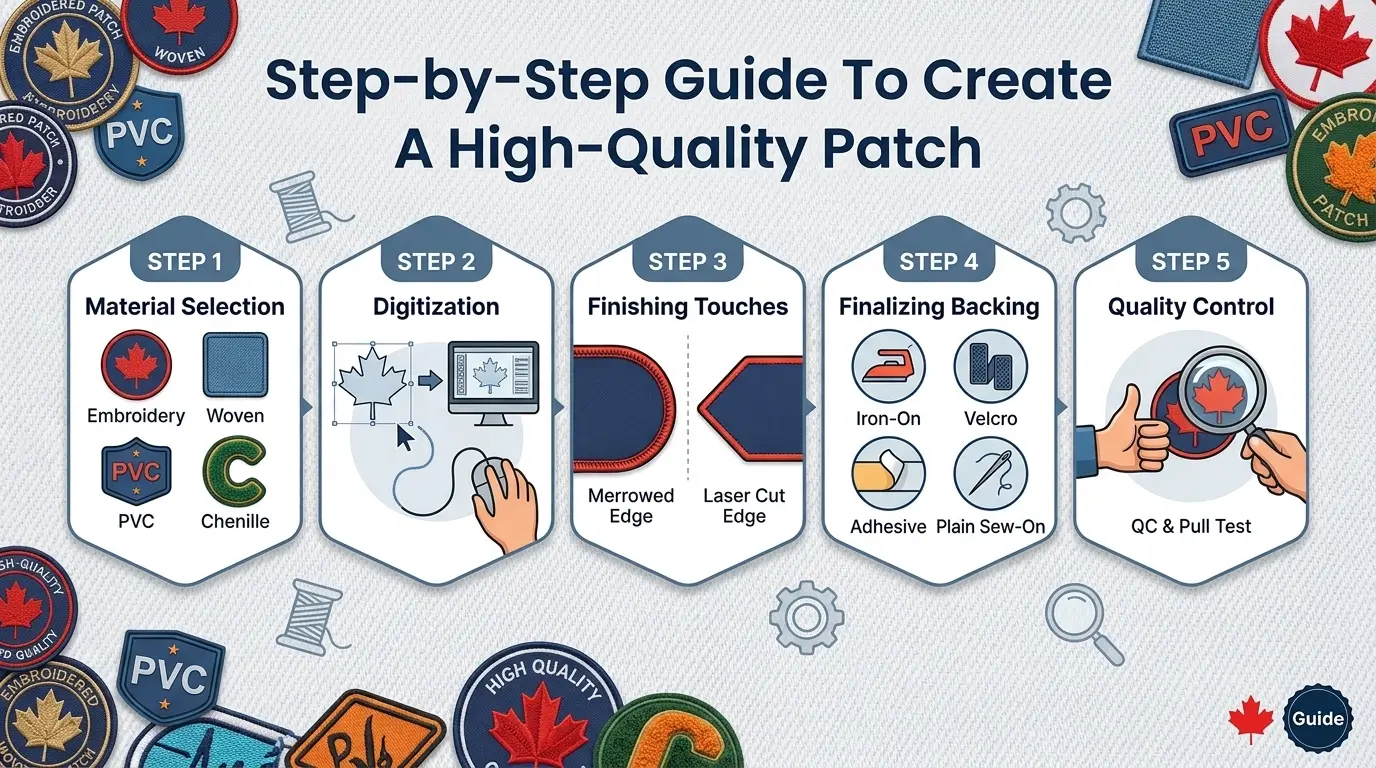
Step 1: Selecting The Material for Starters
The material you choose changes everything, from the cost to how the patch feels in your hand. You have four main options to choose from:
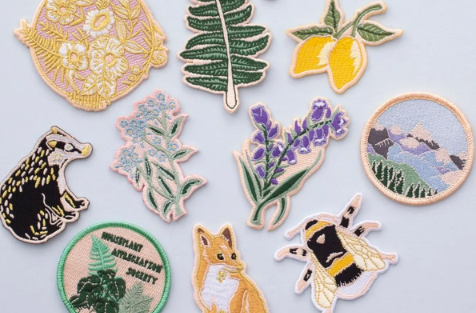
1. Traditional Embroidery
This is the textured, classic look we all know. It uses rayon or polyester thread stitched onto a twill backing, which is perfect for vintage-style logos or team sports.
- Pro Tip: Make sure to look for 100% coverage if you want the entire surface to be threaded.
2. PVC (Polyvinyl Chloride)
If you have seen those rugged, waterproof badges on tactical gear or outdoor backpacks, that is PVC. These aren’t stitched; they are made by pouring liquid rubber into a custom metal mould. This allows for incredible 3D depth that thread just can’t match.
3. Woven Patches
Such badges use a much thinner thread than embroidery. A perfect example is the label inside your t-shirt. Also, because the thread is thinner, you can get much higher detail and smaller text. Vendors often call it the ‘High-Definition’ version of fabric patches.
4. Chenille
Have you ever seen a varsity jacket with a fuzzy letter? That is Chenille. It is a curved, looped thread that creates a carpet-like texture. It is definitely bold, soft, and very old-school.
Step 2: The Art of Digitization, Where the Magic Happens
Digitization is the process of converting your vector art into a final badge. No, it is not an automated process; a human digitizer has to manually tell the machine which direction the thread should run. This job is a tricky one because if the stitches all run in the same direction, the patch looks flat and boring. Thus, a great digitizer will use different stitch patterns.
For instance, he might pick satin stitches for borders, fill stitches for large areas, so that there is a clear sense of movement and light in all their quality custom patches.
Step 3: Finishing Touches for Borders and Edges
You generally have two choices for how the patch ends:
The Merrowed Border
This is that thick, wrapped edge you see on Boy Scout or military patches. It requires a special sewing machine that wraps thread around the edge of the fabric. It is classic and very durable, but it only works for simple shapes like circles, squares, or shields.
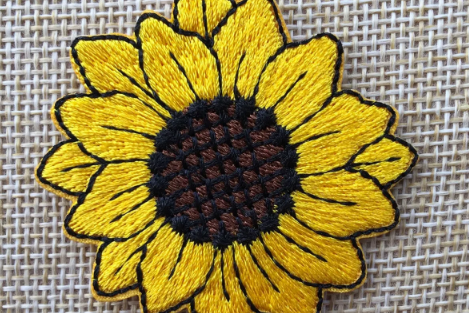
The Laser Cut (Heat Cut) Border
If your design is a complex shape, like a lightning bolt or a jagged logo, a merrowing machine can’t turn those sharp corners. Instead, a laser cuts the patch out. Because most patch fabric is synthetic, the laser melts the edge as it cuts, sealing it so it never frays.
Step 4: Finalizing The Backing
How the user interacts with the patch depends entirely on the backing. This is a point where many experts in the apparel industry would tell you to consider the end-use environment.
- Iron-On (Heat Seal)
Great for retail. The user just needs a household iron. However, it’s not permanent.
- Velcro (Hook and Loop)
This is the gold standard for uniforms. You sew the loop (soft side) onto the jacket, and the hook (scratchy side) stays on the patch. This allows you to swap patches easily.
- Adhesive (Sticky Back)
These are like stickers. Great for a one-day event or a trade show, but they will fall off quickly.
- Plain (Sew-On)
The most professional choice in Canada and all around the globe. No glue, no plastic. Just fabric. You sew it directly onto the garment. It is the most durable and looks the cleanest.
Step 5: Quality Control and the Pull Test
Once the first sample is produced, you need to check for gapping. This is when you can see the background twill peeking through the stitches where it shouldn’t be.
A high-quality patch should feel substantial. If you hold it between your fingers, it should have a bit of snap to it, not feel like a limp piece of cloth. Also, check the colours under natural light because a thread reflects light differently than a monitor screen. A Navy Blue on your computer might look Royal Blue once it is rendered in shiny rayon thread.
Frequently Asked Questions (FAQs)
Can I make a patch with a photograph?
Yes, but not with traditional embroidery. For photos, you need a Sublimated Patch. This involves printing the photo onto fabric using heat-transfer dyes.
What is the Standard size?
There isn’t one, but 3 to 3.5 is the most common for sleeves. However, for a hat, stay under 2.5 tall, or the patch will start to curve awkwardly over the top of the cap.
How do I clean an embroidered badge?
Try turning the garment inside out and washing on a cold, gentle cycle. Apart from this, air drying is also one of the best options, as high heat in a dryer can sometimes warp the plastic stiffeners inside the patch.
Why is my iron-on badge peeling?
Usually, it is because the iron wasn’t hot enough or wasn’t held down long enough. You need consistent heat and pressure for about 30 seconds to melt the glue into the fabric fibers.
Conclusion
The process of creating a high-quality patch, from scratch, starts with a clean, simplified vector design that respects the limits of thread and rubber. From there on, it is about choosing the right engine. It could be the classic texture of embroidery or the modern, 3D look of PVC.
Last but not least, you must remember that the secret to a professional result is in the details. If you don’t carefully complete the digitization process or pick the perfect backing material, the consequence will be right before your eyes. So, focus on the prep work, always insist on a physical sample, and your final product will speak for itself.

Mike Smith is a skilled content specialist at PatchesMaker.ca, where he has been contributing since 2023. With a strong academic background in the fashion industry, he brings valuable insight into trends, materials, and customization techniques. He specializes in creating informative and engaging content focused on custom patches, helping businesses and individuals make informed decisions while enhancing their brand identity through high-quality patch solutions.